Businesses in 2026 are increasingly relying on software to automate operations, manage customers, process transactions, analyze data, and deliver digital experiences. But as organizations grow, they often discover that using multiple off-the-shelf tools creates as many problems as it solves.
Employees may have to move between spreadsheets, CRM systems, accounting platforms, communication tools, and internal applications just to complete one workflow. Data can become duplicated, processes remain manual, and important business information becomes difficult to manage.
This is where custom software development can provide a strategic advantage.
Unlike off-the-shelf software, custom software is designed around a company’s specific workflows, users, integrations, security requirements, and growth plans. However, building custom software is a significant investment. The goal shouldn’t be to create as many features as possible, but to develop the right solution for a clearly defined business problem.
In 2026, that also means considering technologies such as AI, cloud infrastructure, API integrations, automation, analytics, and scalable architecture where they genuinely provide business value.
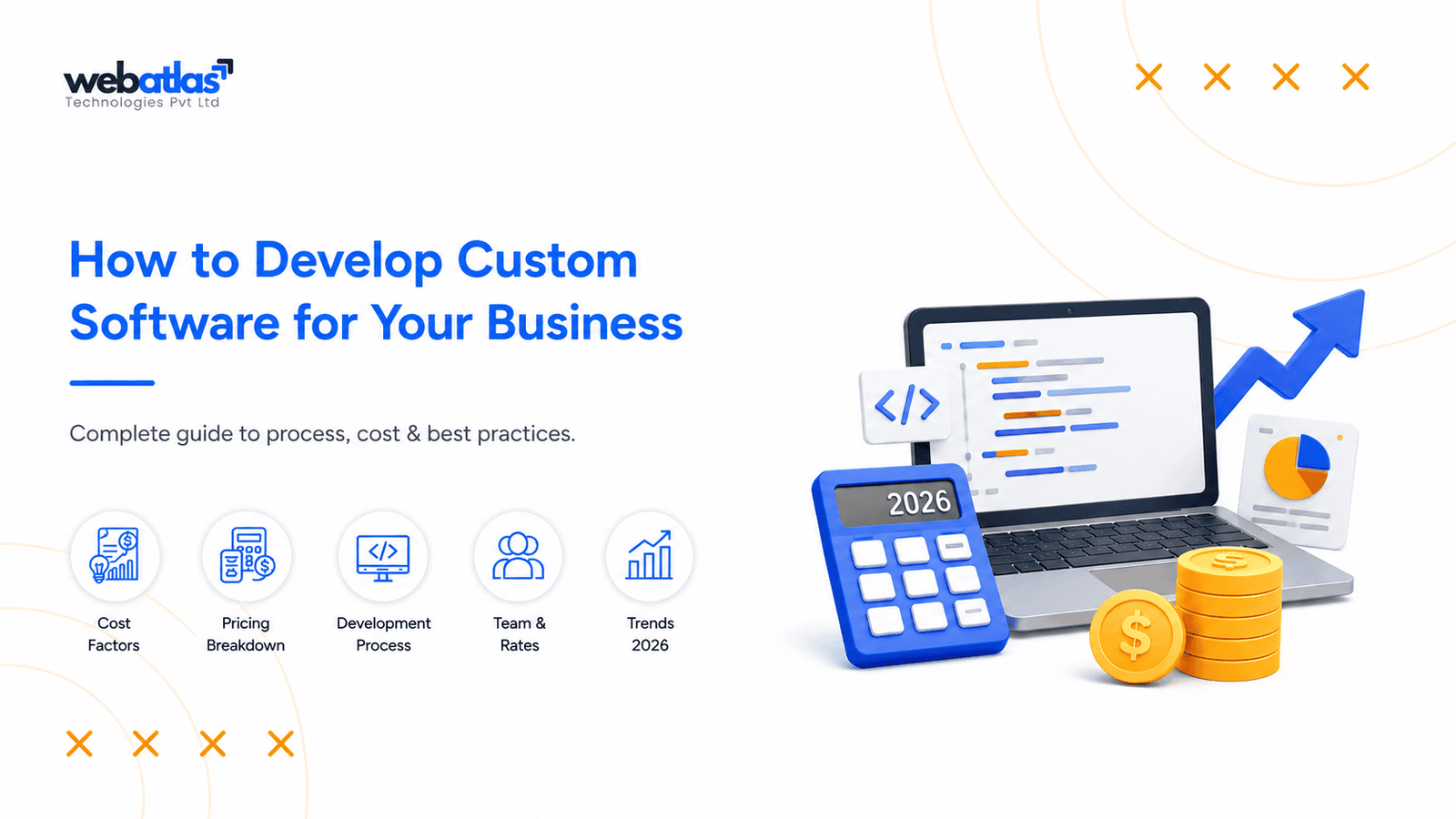
This guide explains how to develop custom software for your business, including the development process, cost factors, feature prioritization, 2026 technology considerations, vendor selection, ownership, and how to measure ROI after launch.
Why Businesses Are Choosing Custom Software in 2026
The demand for customized business software is being driven by a simple reality: businesses don’t always operate like standard software assumes they do.
A SaaS product may provide excellent functionality for a common business process, but it may not accommodate a company’s specific approval workflows, customer journey, reporting requirements, integrations, or internal operations.
For example, a growing logistics company may need more than basic order management. It may require automated dispatching, driver tracking, customer notifications, route management, payment integration, and real-time reporting. Combining several unrelated tools may eventually become more expensive and difficult to manage than developing a unified platform.
Custom software can help businesses:
- Automate repetitive processes
- Connect disconnected systems
- Centralize business data
- Create specialized workflows
- Improve operational efficiency
- Deliver personalized customer experiences
- Scale software alongside business growth
- Reduce dependence on multiple disconnected tools
- Build proprietary digital capabilities
The 2026 Difference
Custom software development in 2026 is no longer limited to traditional web or mobile applications.
Businesses are increasingly evaluating:
- AI-powered automation
- Intelligent search and recommendations
- Cloud-native infrastructure
- API-first architecture
- Real-time data processing
- Advanced analytics
- Automated workflows
- Stronger cybersecurity
- Scalable SaaS architecture
However, adopting a technology simply because it is popular can increase complexity and cost.
The better approach is:
Start with the business problem, then select the technology that solves it.
Does Your Business Actually Need Custom Software?
Before investing in development, determine whether your current business challenges genuinely require a custom solution.
Custom software can provide greater flexibility and control, but it also involves development, infrastructure, security, maintenance, testing, and ongoing improvements.
Your business may benefit from custom software if:
- Employees spend significant time on repetitive manual tasks.
- Important business information is maintained across spreadsheets.
- Multiple systems contain duplicated or disconnected data.
- Existing SaaS products limit important workflows.
- Your business requires specialized automation.
- Existing applications don’t integrate effectively.
- You need greater control over business data.
- Your customer experience depends on unique digital processes.
- Existing systems cannot scale with business growth.
- You have a clearly defined operational or financial problem to solve.
The important point is to focus on the business problem rather than the software itself.
If an existing platform can solve your requirements effectively, purchasing or customizing it may be the more practical option. But if software limitations are affecting productivity, customer experience, operational costs, or scalability, custom development may offer greater long-term value.
Before development begins, document your current workflow and identify:
- Where employees lose time
- Where errors occur
- Which processes are manual
- Which systems don’t communicate
- How much the current process costs
- What business outcome you want to improve
For organizations that need help evaluating their technology infrastructure and deciding which solution approach makes sense, IT consulting services can provide support with technology planning, architecture, infrastructure, integrations, and digital transformation.
Build vs. Buy vs. Customize: Which Approach Is Right?
Not every business problem requires software to be built from scratch.
Generally, businesses have three approaches:
Build Custom Software
Custom development is appropriate when your business has unique workflows, specialized requirements, or a product that represents an important competitive advantage.
It can provide:
- Greater flexibility
- Full control over functionality
- Customized workflows
- Better integration capabilities
- Greater control over future development
- Architecture designed around specific scalability requirements
Buy Off-the-Shelf Software
Existing SaaS products can be a better choice when your requirements are standardized.
For example, businesses may not need custom software for common functions such as:
- Basic accounting
- Email marketing
- Standard project management
- Basic employee management
- Simple customer relationship management
Customize Existing Software
Customization can be a middle ground.
If an existing platform satisfies most requirements but lacks a few important capabilities, extending it may be more cost-effective than creating a new platform.
Don’t Compare Only Initial Prices
A $2,000-per-month SaaS subscription may appear significantly cheaper than a custom application costing $100,000 to develop.
But the comparison changes when you consider:
Subscription fees + customization + integrations + data migration + limitations + switching costs
versus:
Development + infrastructure + maintenance + security + future improvements
This is why businesses should consider Total Cost of Ownership (TCO) rather than looking only at the initial development price.
Define the Business Problem Before Defining the Software
One of the most important steps in custom software development happens before writing any code.
Don’t begin with:
“What features should our software have?”
Begin with:
“What business problem should this software solve?”
Consider an example.
A healthcare business may initially say:
“We need a patient management application.”
But further analysis could reveal that the real problems are:
- Manual appointment scheduling
- Repeated data entry
- Poor patient communication
- Difficulty accessing records
- Delayed reporting
- Limited visibility into staff workload
The actual software requirements might therefore become:
Appointment management → Automated notifications → Patient records → Staff workflows → Reporting
This approach prevents businesses from building features simply because competitors have them.
Establish a Baseline Before Development
Before development starts, document the current situation.
Measure:
- Processing time
- Employee hours
- Number of manual steps
- Error rate
- Customer response time
- Existing software costs
- Operational expenses
- Revenue affected by the problem
For example, if employees spend 500 hours each month completing a manual process, reducing that workload to 150 hours would potentially save 350 employee hours every month.
That baseline becomes the foundation for measuring software ROI after launch.
How to Develop Custom Software: Step-by-Step Process
Once the business problem is defined, the development process can be structured around clear stages.
Step 1: Understand Users and Business Workflows
Identify everyone who will use the software.
For example:
Administrator → Manager → Employee → Customer
Document what each user needs to do, what information they require, and what permissions they should have.
Step 2: Define Functional and Non-Functional Requirements
Functional requirements describe what the software should do.
Examples include:
- Registration
- Payments
- Notifications
- Dashboards
- Reporting
- Workflow automation
- User management
Non-functional requirements describe how the software should perform.
These can include:
- Security
- Performance
- Scalability
- Availability
- Accessibility
- Reliability
Step 3: Identify Required Integrations
Determine which existing systems need to communicate with the new software.
Potential integrations include:
- CRM
- ERP
- Accounting platforms
- Payment gateways
- Maps
- SMS
- Analytics
- AI services
Integration requirements should be identified early because they can significantly affect architecture, timeline, and cost.
Step 4: Prioritize Features
Not every requested feature should be part of the first release.
Prioritize functionality based on:
Business impact + user value + development effort + strategic importance
Step 5: Define the MVP
An MVP should contain enough functionality to solve the core problem and generate useful feedback.
Instead of launching with 50 features, a business may be better served by launching 10–15 essential features and using real user feedback to determine what should come next.
An experienced MVP app development company can help businesses define the initial scope, validate functionality, and create a scalable foundation for future development.
Step 6: Choose the Technology Stack
Technology decisions should be based on:
- Project requirements
- Expected traffic
- User volume
- Security
- Integrations
- Performance
- Scalability
- Development resources
- Long-term maintenance
Step 7: Design the User Experience
A typical process includes:
User flows → Wireframes → Prototype → UI design → Usability testing
The objective is not simply to make software attractive. The interface should make business workflows easier and reduce unnecessary steps.
Step 8: Develop in Iterations
Rather than waiting until the entire project is finished, use shorter development cycles:
Plan → Build → Test → Review → Improve
This gives stakeholders regular visibility and makes it easier to identify problems early.
Step 9: Test and Secure
Testing may include:
- Functional testing
- Integration testing
- API testing
- Performance testing
- Security testing
- Regression testing
- User acceptance testing
Step 10: Deploy Gradually
A phased rollout can reduce risk:
Internal testing → Pilot users → Limited release → Full deployment
Step 11: Monitor and Improve
Once the product is live, monitor:
- Performance
- Errors
- User behavior
- Feature adoption
- Support requests
- Business KPIs
The information collected after launch should influence future development.
How to Prioritize Features Based on ROI
A common mistake is prioritizing features according to stakeholder preferences instead of business impact.
A better approach is to evaluate each feature using:
Business impact × user value ÷ development effort
For example:
| Feature | Business Impact | Development Effort | Priority |
| Workflow automation | High | Medium | High |
| Customer notifications | High | Low | High |
| Business dashboard | High | Medium | High |
| AI forecasting | Medium–High | High | Medium |
| Advanced customization | Medium | High | Medium |
| Minor visual enhancement | Low | Low | Low |
Before adding a feature, ask:
- What problem does it solve?
- Who will use it?
- How frequently will it be used?
- Can its impact be measured?
- What happens if we delay it?
- How much will it cost to build?
- How much will it cost to maintain?
A feature that saves 300 employee hours every month may be more valuable than a visually impressive feature that users rarely interact with.
This is also one reason an MVP should remain focused.
How Much Does Custom Software Development Cost in 2026?
One of the most common questions businesses ask is:
How much does it cost to develop custom software?
There isn’t one reliable price because projects vary significantly in complexity.
The cost can depend on:
- Number of features
- Platforms
- User roles
- UI/UX requirements
- Integrations
- APIs
- AI functionality
- Data migration
- Security requirements
- Technology stack
- Testing
- Development team
- Infrastructure
- Post-launch maintenance
Major Cost Components
| Component | What It Includes |
| Discovery & Planning | Requirements, research, technical planning |
| UI/UX | User flows, wireframes, prototypes, interface |
| Development | Frontend, backend, database |
| Integrations | APIs, CRM, ERP, payments, third-party systems |
| QA | Functional, performance, security testing |
| DevOps | Hosting, deployment, monitoring |
| Data Migration | Cleaning, mapping, transfer, validation |
| Security | Access controls, encryption, security testing |
| Maintenance | Bug fixes, updates, optimization |
An Illustrative $100,000 Budget
To understand how a development budget might be distributed, consider a hypothetical $100,000 medium-complexity project:
| Area | Illustrative Allocation |
| Discovery & planning | $7,500 |
| UI/UX design | $12,500 |
| Software development | $50,000 |
| QA & testing | $12,500 |
| DevOps & deployment | $7,500 |
| Security, migration & other requirements | $10,000 |
| Total | $100,000 |
These figures are illustrative rather than fixed market prices or a project quotation. A project with complex integrations may spend more on backend and integration work, while a customer-facing product may require a larger UI/UX budget.
Calculate Total Cost of Ownership
Your actual investment extends beyond development.
Initial Development
- Cloud infrastructure
- Third-party services
- API usage
- Security
- Maintenance
- Support
- Future improvements
= Total Cost of Ownership
For a detailed breakdown of pricing factors, businesses can also review a dedicated custom software development cost guide.
The key takeaway is simple:
Don’t choose a software vendor solely because it provides the lowest initial quote. Compare the total cost of owning and operating the software.
Hidden Costs Businesses Often Miss
A development quote doesn’t always represent the complete technology investment.
Businesses should plan for several additional expenses.
Data Migration
Existing data from spreadsheets, legacy systems, CRM platforms, or databases may need to be cleaned, transformed, mapped, and validated before migration.
Third-Party APIs
Payment gateways, mapping platforms, SMS providers, AI services, analytics tools, and other APIs can introduce usage-based expenses.
Cloud Infrastructure
Ongoing costs can include:
- Servers
- Storage
- Databases
- Bandwidth
- Backups
- Monitoring
Security
Security audits, penetration testing, monitoring, compliance requirements, and ongoing security updates may require additional investment.
Employee Training
New software can require:
- Training
- Documentation
- Onboarding
- Internal support
Maintenance
Software needs ongoing:
- Bug fixes
- Security patches
- Dependency updates
- Performance optimization
- Infrastructure management
Future Development
A successful software product will evolve.
Users may request new features, business processes may change, and third-party systems may be updated. Your long-term budget should therefore include room for future improvements.
Data Migration, Integration, Security & AI: What to Plan in 2026
A modern software project should consider more than just application development.
Four areas deserve attention early in the planning process.
Data Migration
If your company already has years of customer, product, employee, financial, or operational data, migration should be treated as a dedicated project activity.
A practical process is:
Audit → Clean → Map → Transfer → Validate → Reconcile
Poorly planned migration can result in:
- Duplicate records
- Missing information
- Incorrect data relationships
- Operational disruption
- Reporting inconsistencies
Integration Architecture
For every integration, determine:
- Which system owns the data?
- Where does the data originate?
- Where does it go?
- How frequently is it synchronized?
- What happens if an API fails?
- What happens if the third-party provider changes its API?
Security
Security should be built into the architecture from the beginning.
Consider:
- Authentication
- Authorization
- Role-based access
- Encryption
- Secure APIs
- Backups
- Logging
- Monitoring
- Vulnerability testing
- Disaster recovery
AI-Powered Software in 2026
AI is one of the biggest opportunities for modern business software, but it should be used strategically.
Potential applications include:
- Intelligent search
- Document processing
- Customer support
- Recommendations
- Forecasting
- Workflow automation
- Data analysis
- Personalization
Before adding an AI feature, ask:
What business problem does it solve?
What data does it require?
How will accuracy be measured?
What happens when the AI produces an incorrect result?
AI should improve a workflow or business outcome—not simply increase the feature count of an application.
How to Manage Scope Changes Without Increasing Costs
Requirements inevitably change during software development.
The problem isn’t change itself.
The problem is uncontrolled scope expansion.
For example, a project might originally include:
- Customer management
- Payments
- Reporting
During development, stakeholders may add:
- AI chatbot
- Mobile application
- Advanced analytics
- Loyalty program
- Social login
Each feature can affect development effort, architecture, testing, security, and timeline.
Use a Change-Control Process
Requirement change
↓
Impact analysis
↓
Cost & timeline assessment
↓
Approval
↓
Development
↓
Testing
This allows decision-makers to understand the consequences before approving additional scope.
Three Ways to Control Scope
Define the MVP clearly.
Everyone involved should know what belongs in Version 1.
Document changes.
Requirements should not be changed based solely on informal conversations.
Reprioritize instead of continuously adding.
If a new feature becomes critical, consider moving a lower-priority feature to a later release.
This approach helps protect both the budget and the original launch objective.
How to Choose a Custom Software Development Company in 2026
Choosing a development partner is one of the most important decisions in a software project.
The wrong partner can lead to:
- Cost overruns
- Poor architecture
- Security vulnerabilities
- Missed deadlines
- Difficult maintenance
- Vendor dependency
Don’t evaluate companies only by hourly rates.
Look at:
- Relevant industry experience
- Similar project experience
- Technical capabilities
- Architecture expertise
- UI/UX capabilities
- QA methodology
- Security practices
- Communication process
- Project management
- Documentation
- Source-code ownership
- Post-launch support
Questions to Ask Before Hiring
- How will you understand our business requirements?
- What will be included in the MVP?
- How will you estimate development effort?
- How do you handle changing requirements?
- What testing is included?
- How will security be implemented?
- Who owns the source code?
- Who controls the cloud account?
- What documentation will we receive?
- What happens after launch?
Development Company Red Flags
Be cautious if a vendor:
- Gives a price before understanding your requirements.
- Promises an unrealistic timeline.
- Avoids discussing security.
- Doesn’t clarify source-code ownership.
- Has no clear QA process.
- Can’t explain its architecture.
- Doesn’t provide documentation.
- Has no post-launch strategy.
- Focuses more on technology than business outcomes.
A good custom software development company should help you identify unnecessary complexity, technical risks, and cost drivers before development begins.
Software Ownership, Vendor Lock-In & Post-Launch Strategy
Software ownership should be discussed before development—not after the product has been delivered.
Clarify who controls:
- Source code
- Database
- Cloud infrastructure
- Domain
- API credentials
- Design files
- Documentation
- Deployment credentials
- Backups
- Monitoring systems
Why Vendor Lock-In Matters
Imagine your software has been live for several years, but only the original development company understands its architecture.
If you decide to change vendors, you may encounter:
- Difficult knowledge transfer
- Missing documentation
- Limited access to infrastructure
- Additional transition costs
- Delays in maintenance
Ask your development partner:
“If we need to work with another development team in the future, can they take over the project?”
Proper documentation, accessible infrastructure, clean architecture, and clear ownership arrangements can make that transition significantly easier.
Plan the First 90 Days After Launch
First 30 Days
- Monitor critical bugs
- Track performance
- Support users
- Monitor stability
Days 31–60
- Analyze feedback
- Review feature usage
- Identify usability issues
- Improve workflows
Days 61–90
- Prioritize Version 2
- Review infrastructure
- Measure productivity
- Compare results against the original baseline
Post-launch planning ensures that software continues to evolve according to actual business needs.
How to Measure Custom Software ROI After Launch
Launching software is not the final measure of success.
The real question is:
Did the software improve the business?
Measure Productivity
Track the number of employee hours saved through automation.
Measure Cost Reduction
Calculate savings from:
- Reduced manual work
- Lower operational costs
- Fewer software subscriptions
- Reduced errors
- Improved resource utilization
Measure Error Reduction
Compare error rates before and after implementation.
Measure Customer Experience
Track:
- Response times
- Customer satisfaction
- Retention
- Support requests
- Conversion rates
Measure Revenue Impact
Determine whether the software contributes to:
- New revenue
- Higher conversion
- Additional customers
- New services
- Improved retention
Measure Adoption
A feature provides little value if users don’t actually use it.
Monitor:
- Active users
- Feature usage
- Workflow completion
- Login frequency
- Drop-off points
12-Month Software Success Scorecard
| Period | Key Metrics |
| First 30 Days | Stability, bugs, adoption |
| 90 Days | Productivity, errors, feedback |
| 6 Months | Cost savings, usage, customer impact |
| 12 Months | ROI, revenue impact, scalability |
This is why establishing a baseline before development is so important. You cannot accurately measure improvement if you don’t know where the business started.
Frequently Asked Questions
- How much does it cost to develop custom software?
Custom software development costs vary according to project complexity, features, platforms, integrations, security requirements, technology, data migration, development resources, and maintenance. Rather than relying on one fixed price, businesses should create a project-specific estimate and consider the total cost of ownership.
- How long does custom software development take?
The timeline depends on the scope and complexity of the project. A focused MVP may take a few months, while complex business platforms can take considerably longer. Integrations, testing, security, platform requirements, and changes in scope can all affect the schedule.
- Is custom software better than SaaS?
Not necessarily. SaaS is often the better option when business requirements are standard and rapid implementation is important. Custom software is more suitable when a business has unique workflows, specialized requirements, complex integrations, or needs greater control over functionality and future development.
- Should a business build an MVP first?
For many projects, an MVP is an effective way to validate the core concept before making a larger investment. It allows businesses to test assumptions, gather user feedback, prioritize features, and identify problems before expanding the product.
- Can custom software integrate with existing systems?
Yes. Custom software can integrate with CRM, ERP, accounting platforms, payment gateways, communication systems, analytics platforms, and other applications using APIs and other integration technologies. These requirements should be identified during the planning stage.
- What should I ask a custom software development company?
Ask about relevant experience, technical expertise, development methodology, architecture, security, testing, communication, source-code ownership, documentation, pricing, infrastructure ownership, and post-launch support.
- What happens after custom software is launched?
Post-launch activities can include monitoring, bug fixes, security updates, performance optimization, user support, infrastructure management, analytics, and new feature development. A post-launch strategy should ideally be defined before deployment.
Conclusion
Developing custom software for your business in 2026 is not simply about building an application. It is about creating a technology solution that addresses a measurable business problem and continues to provide value as the organization grows.
Start by determining whether custom development is actually necessary. Then define the business problem, establish a baseline, compare build-versus-buy options, prioritize features according to ROI, define an MVP, plan integrations and security, establish a realistic budget, and choose a development partner carefully.
Remember that the initial development quote is only part of the investment. Infrastructure, APIs, security, maintenance, training, support, and future improvements all contribute to the software’s total cost of ownership.
Most importantly, measure what happens after launch.
The best custom software isn’t necessarily the one with the most features or the most advanced technology. It is the one that saves time, reduces costs, improves customer experiences, increases productivity, supports growth, and produces measurable business results.
For businesses whose requirements cannot be effectively addressed by off-the-shelf solutions, an experienced custom software development company can help transform business requirements into a secure, scalable, and maintainable digital product.